LED Scroller
Type a message and your screen becomes a scrolling LED sign. Pick the colour, the speed and the dot size, then go fullscreen and turn the phone sideways.
Turn the phone sideways in fullscreen for the longest banner. Tap the screen to come back.
For a sign that stays lit
A browser tab dims, sleeps and cannot go properly fullscreen on iPhone. LED Scroller keeps the screen awake, fills it edge to edge, saves your messages and adds GIFs and effects.
What people hold these up for
- Concerts. A name, a request, a happy-birthday for the person beside you.
- Airport pickups. Far easier to spot than a sheet of A4, and you cannot lose it.
- Parties and proposals. A message scrolling across a dark room does most of the work.
- Shop counters and stalls. Open, closed, back in five minutes, today's price.
- Sports and school events. A player's name from the sidelines.
Making it readable
Three things decide whether anyone can actually read your sign. Brightness: set the screen to maximum and turn off auto-brightness, which will otherwise dim you halfway through. Length: a short message at a large dot size beats a sentence that scrolls for twenty seconds — people read a sign in glances, not in full. Orientation: sideways fits roughly twice as many letters, which is why every real sign is wider than it is tall.
Colour matters less than people expect, but in a dark venue the warm colours — red, orange, yellow — hold their edge better at a distance, while white looks brightest up close and blooms into a smear from far away.
How the panel is drawn
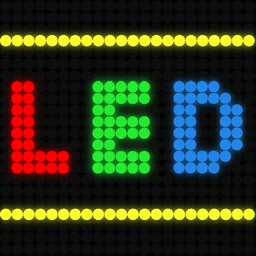
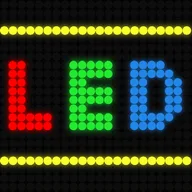
Your message is rendered once into a grid eight dots tall, and then every dot in that grid is drawn on the screen: the ones inside the letters lit and glowing, the ones outside left as faint circles. That unlit grid is the detail that sells it — take it away and you have white text sliding across a black rectangle, which reads as a web page rather than as a sign.
Questions
Can people read this from a distance?
In a dark room, yes — a phone at full brightness in fullscreen is readable across a bar or a small venue, and turning the phone sideways roughly doubles how many letters fit. In daylight or across a stadium, no screen wins; that is what the physical signs are for.
Does it work on iPhone?
The banner does. Fullscreen may not — Safari on iPhone only allows true fullscreen for video, so the banner runs inside the page instead. Rotating the phone and hiding the browser bars gets most of the way there, and the app is the way to get an actual fullscreen sign on iOS.
Will my screen turn off while it is scrolling?
Probably, and there is nothing a web page can reliably do about it. Browsers only allow a screen-wake lock in some contexts and revoke it when the tab loses focus. If you need the sign to stay lit through a whole concert, that is the difference an installed app makes.
Can I save messages for later?
Only as links — copy the link and the message and colour come back with it. There is no account and nothing is stored on a server.
Why does the text look like dots?
Because that is what an LED sign is: a grid of individual lights, most of them off at any moment. The banner renders your message into an eight-row dot matrix and lights the dots that fall inside the letters, unlit dots included — which is what makes it read as a sign rather than as big text on a black background.